Brokers and Trading Accounts
Strategies place orders on a trading account. Accounts belong to a broker connection.
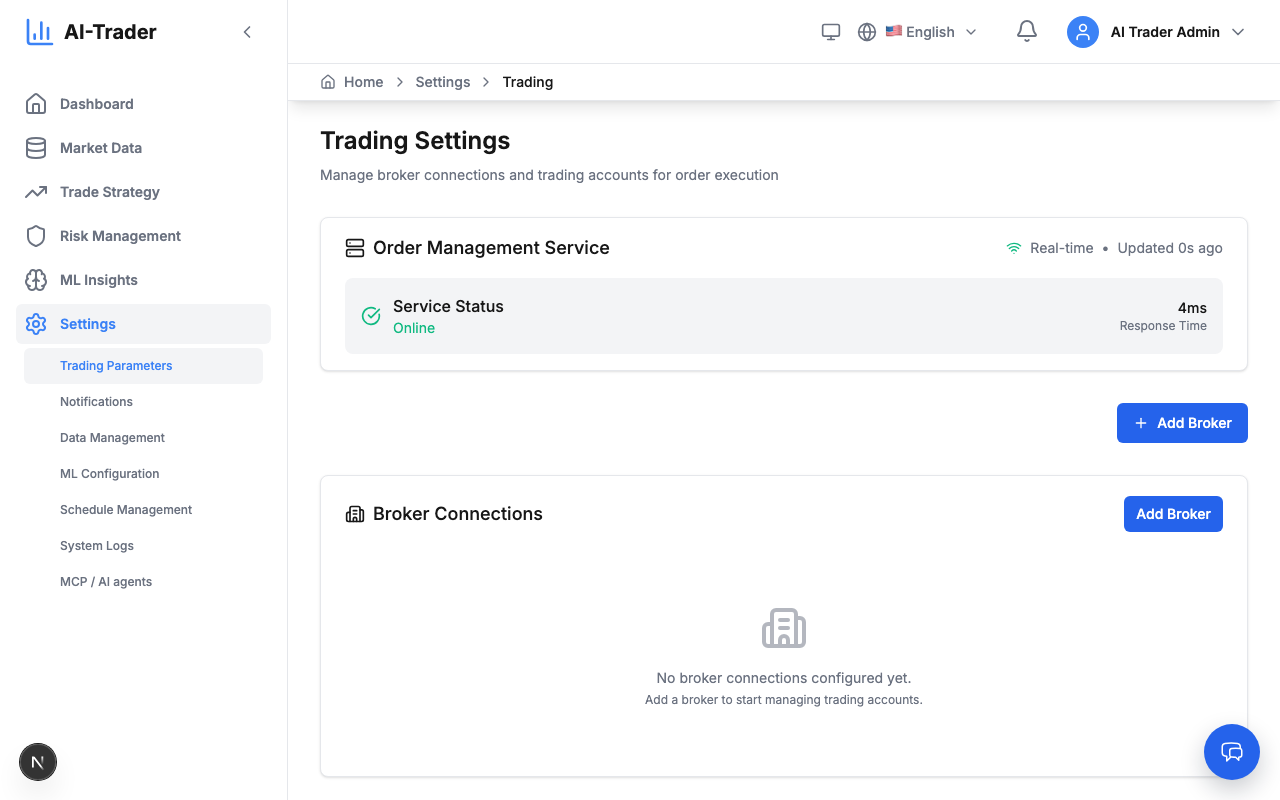
Add a broker connection
- Open Settings → Trading Parameters.
- Click to add a broker, enter a Broker Name and choose the Broker Type:
- Virtual — built-in simulated broker for paper trading. No real money, no external credentials.
- Alpaca — Alpaca account; fill in the Credentials fields.
- Save the broker.
Add a trading account
- On the broker, add a trading account.
- Enter an Account Name and an Initial Balance (USD) (virtual accounts).
- Choose a Trading Cost Preset — how fills are charged in simulation:
- Realistic — typical retail conditions (0.1% spread, 0.1% commission).
- Low Cost — best-case ECN broker (0.05% spread, 0.05% commission).
- Zero Cost — no spread, no commission.
- Aggressive — high costs for stress testing (0.2% spread, 0.2% commission).
- Save. The Trading Accounts list shows balance, used and free margin, realized and unrealized P/L.
Start with a virtual account. Every order passes the risk checks (“Risk Management”) before it reaches the account.
Next step: create a strategy (“Creating a Strategy”).