MCP / AI Agents
AI assistants that support MCP (Model Context Protocol), such as Cursor, can read and change your AI Trader settings on your behalf. Access uses a personal token.
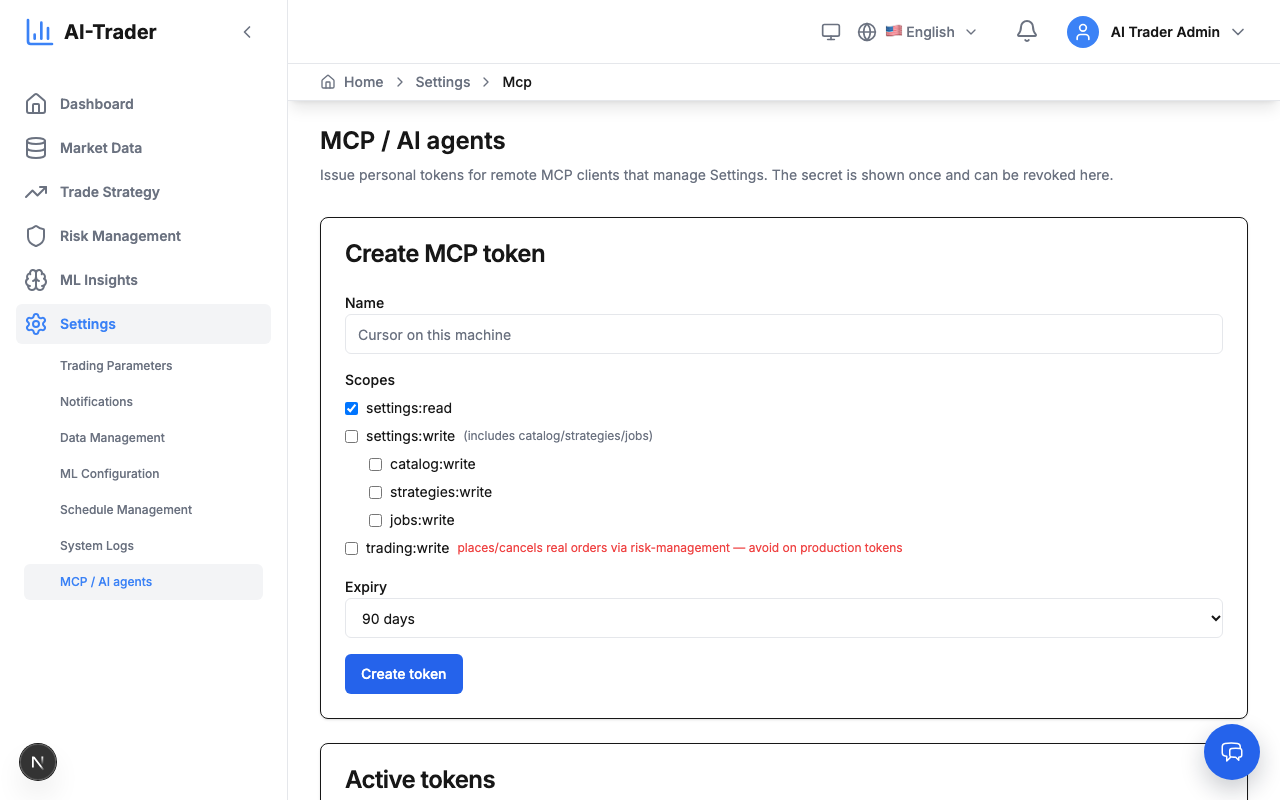
Create a token
- Open Settings → MCP / AI agents.
- Click Create MCP token, give it a name (for example Cursor on this machine) and an expiry.
- Choose scopes — grant only what the assistant needs:
settings:read— read settings;settings:write— change settings (or narrower:catalog:write,strategies:write,jobs:write);trading:write— trading actions.
- Copy the token right away — it is shown only once — and paste it into the assistant's MCP configuration.
Active tokens lists your tokens with scopes and expiry. Revoke a token you no longer use or that may have leaked.