Creating a Strategy
A strategy trades one symbol on a trading account using ML signals on the timeframes you choose.
Before you start you need a trading account and the symbol's market data (“Initial Setup”).
Steps
- Open Trade Strategy in the left menu and click Create Strategy.
- In Trading Account, choose the account the strategy will trade on.
- Enter a Strategy Name, for example EURUSD Pullback Strategy.
- In Symbol, start typing (for example EURUSD) and pick the symbol from the list.
- Under Timeframes, tick one or more timeframes.
- Click Create Strategy.
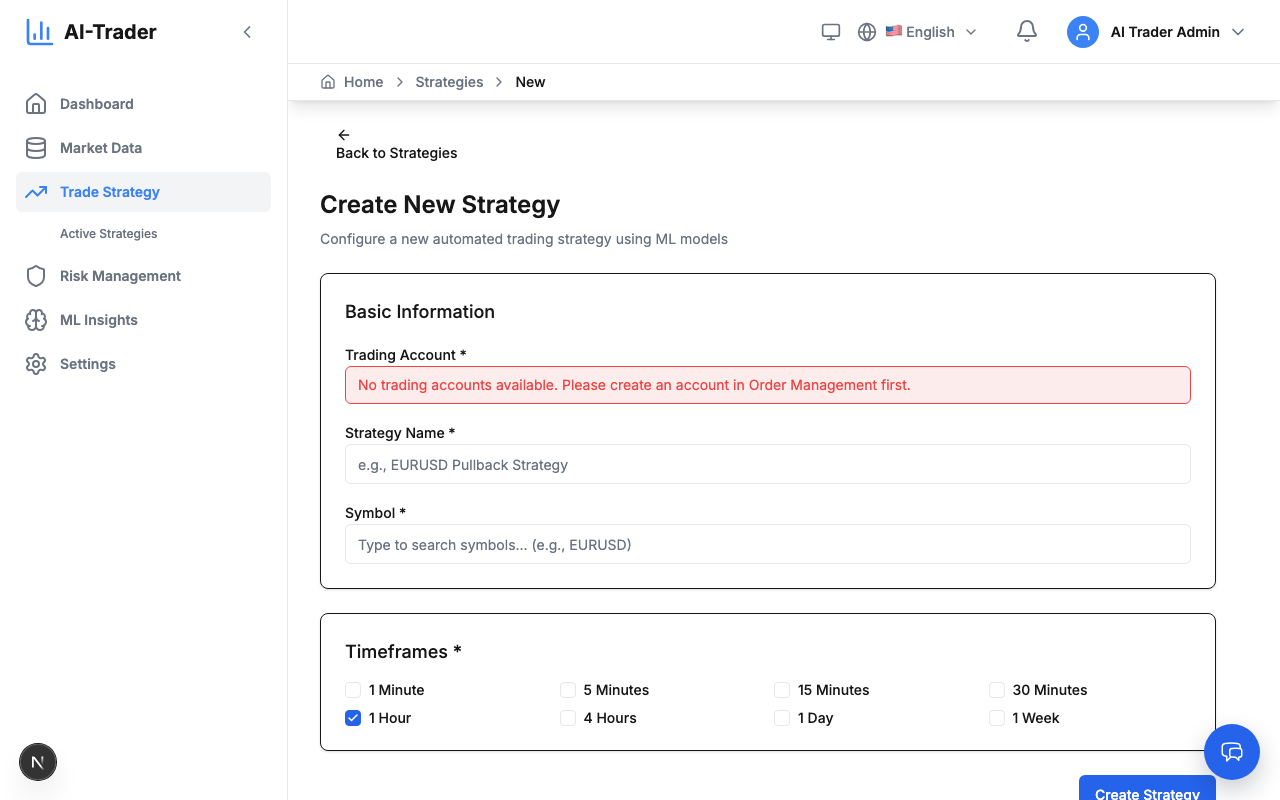
The new strategy appears in the Trade Strategy list.
Good to know
- The symbol cannot be changed after the strategy is created. To trade another symbol, create a new strategy.
- Name and timeframes can be changed later: open the strategy and click Update Strategy after editing.